How to find the best internet radio stations by genre, language & country
There are more than 30,000 live radio stations on the internet — which is wonderful until you want one specific thing. Here's how to find the best internet radio stations for your taste: by genre, by language, by country, and by place on the globe — and how to save the ones you love so you never have to search twice.
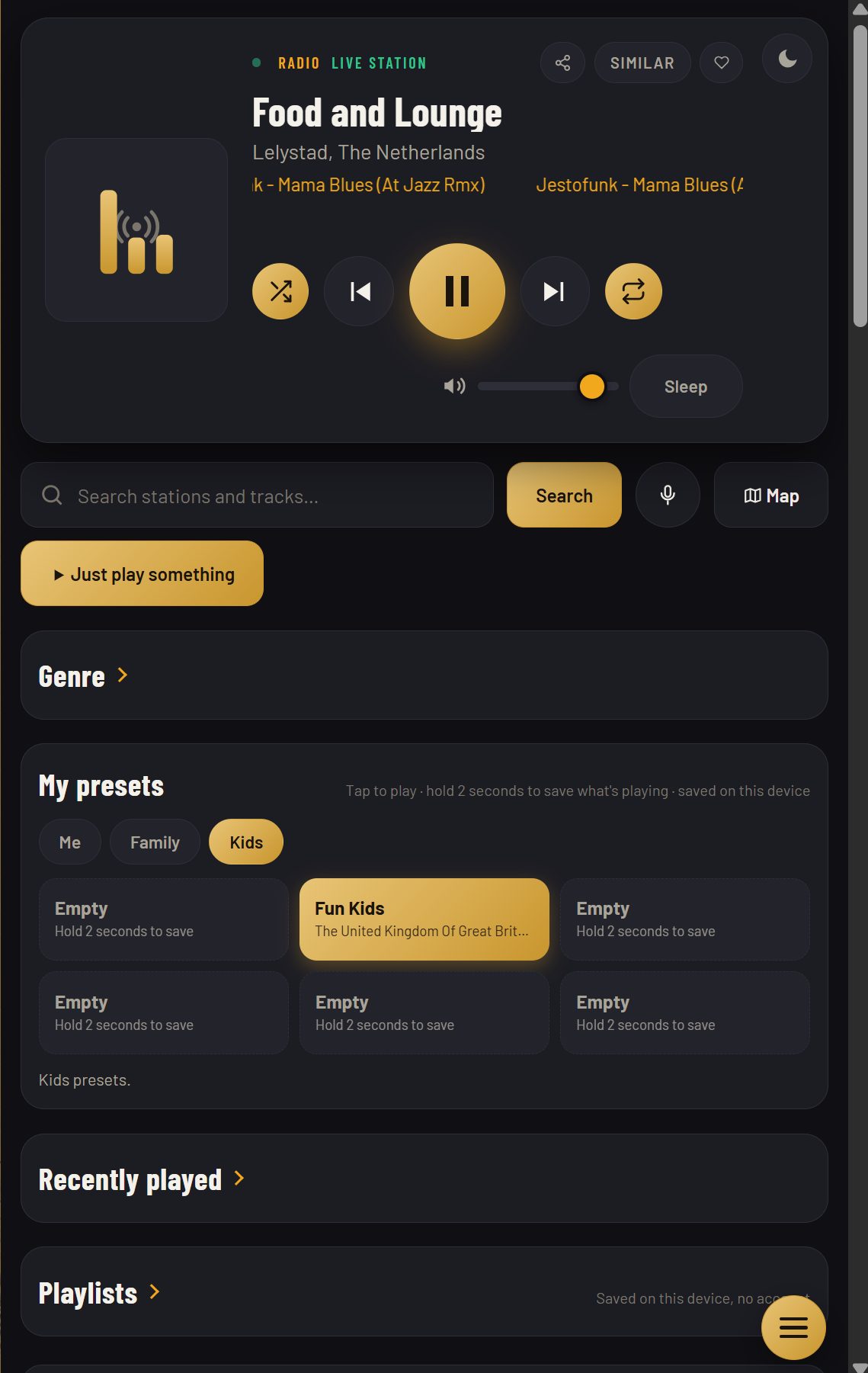
All of this is free, with no account. Open jsm-radio.com and every method below works the same way on your phone, tablet, computer, or car browser.
Search once — stations and tracks together
Start with search. One search covers live stations and on-demand tracks at the same time: type a station name, an artist, a genre, or a mood, and the results list stations first, then tracks. Search by language too — type “Turkish”, “Arabic”, or “French” and you'll get stations broadcasting in that language. The results are ordered by votes, so the stations other listeners like most come first.
Browse by genre
Not sure what to search for? Browse by genre: pop, rock, jazz, classical, electronic, hip-hop, country, news, talk, sports, and more. The genre list opens with jazz, and every genre page is the same shape — stations in that genre, ordered by votes. Pick one, press play, and use Next to walk through the list. If a station isn't for you, one tap moves on.
Filter by language — 31 languages
The language picker lists 31 languages. Pick one and the station list narrows to stations in that language; tap it again to clear it. It's the fastest way to find radio in your own language — or to practise one you're learning. The picker stays with your genre choice, so you can combine them: jazz in French, news in Turkish, pop in Spanish.
Explore by country — and by place on the globe
Every station carries a country, shown as a chip on its row. The chip also tells you whether the station is healthy: a green outline means it was working recently, amber means it failed its last check, and no outline means its status is unknown — the exact check date is in the chip's tooltip. For a visual search, spin the radio globe: more than 11,000 stations are plotted as dots, so you can find radio by city, not just by country.
Let the player choose: similar stations & Just play something
Found one station you like? Tap Similar stations and you'll get stations with the same tag and language, ordered by votes — the closest thing to a recommendation engine, without an account or a listening history. Or tap Just play something: it plays a top-voted station, and Next walks you through the list. It's the best way to discover a station you would never have searched for.
Save what you love
Finding a station twice is a waste of a good discovery. JSM Radio has six presets: tap one to play a saved station, hold it for two seconds to save what's playing. Three banks — Me, Family, Kids — keep everyone's stations separate. Your last 12 stations stay in Recently Played, and if you want your presets on another device, send them with a 6-letter code — the other device can merge them into its own presets or replace them entirely.
What if a station won't play?
Sometimes a station goes down. If the one you're playing fails, the player marks it and moves to the nearest working stations — or, if you were walking a list, skips to the next one. A failed station isn't deleted from the directory; it may come back, and its country chip will show amber until it does. If a whole genre feels thin, try the same genre in another language, or the globe — the best station for you is often one town over.
Frequently asked questions
How do I find radio stations in my language?
Use the language picker — 31 languages — and the station list narrows to that language. It combines with genre, so you can browse jazz in French or news in Turkish.
How do I know a station actually works?
The country chip on each station shows its health: a green outline means it was working recently, amber means it failed its last check. The check date is in the chip's tooltip.
What's the fastest way to discover new stations?
Tap Just play something for a top-voted station, then Next to walk the list — or tap Similar stations on one you already like to get stations with the same tag and language.
Can I save stations to listen to later?
Yes — six presets (tap to play, hold two seconds to save), three banks, and your last 12 stations in Recently Played. Presets move to another device with a 6-letter code.
Open JSM Radio — free, no account, no ads30,000+ live stations and on-demand tracks, on any screen.