Radio globe: 11,000+ live stations on a spinning world map
The world is a radio dial. On JSM Radio, more than 11,000 live stations are plotted as dots on a spinning globe — spin the world, tap a dot, and you're listening to a station from that exact place. No account, no app, no ads. Here's how the globe works and how to explore it.
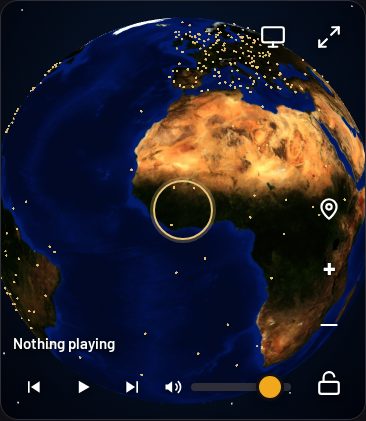
Every dot is a real, working station. The globe is built from the Radio Browser directory — more than 30,000 stations in total — and plots the ones with a known location: over 11,000 stations you can reach by touching the map. The rest are still in the player — search finds them by name, genre, or language — they just have no dot because there's no place to put it.
How to use the globe
Spin it
Drag the globe to spin it. It rolls freely, even over the poles — keep dragging past the Arctic and the map rides upside-down until you roll it back, just like a real globe.
Zoom in
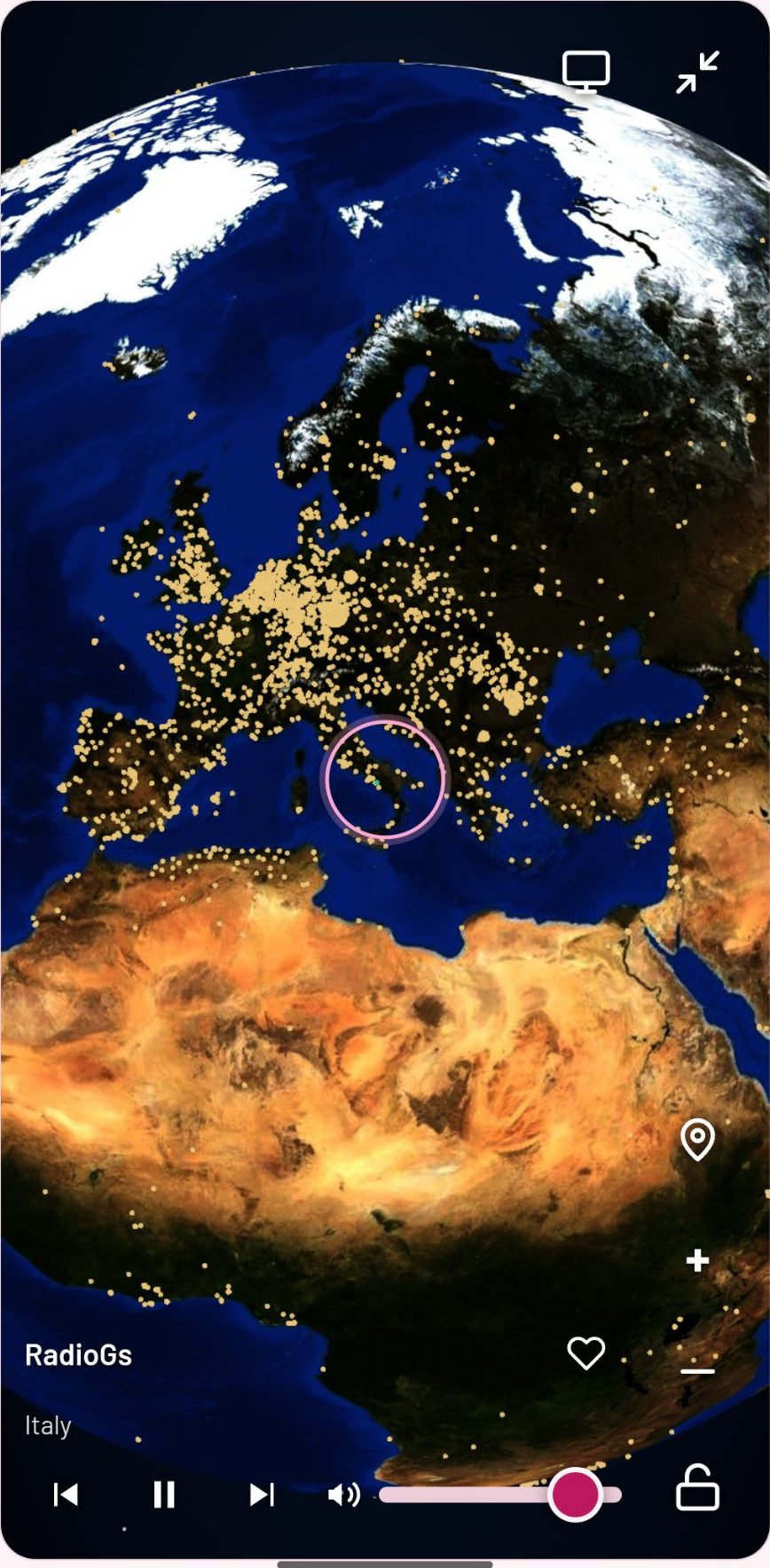
Pinch or scroll to zoom. From space, Europe looks like a carpet of dots; zoom in and the carpet resolves into towns — every small town with a station has a dot.
Tap a dot to listen
Tap any dot and that station starts playing. A ring marks the station that's playing, so you can always see where the music is coming from.
What the dots are
- Gold dots are stations. Each dot is one live station at its real location — a city, a town, sometimes a single transmitter.
- The green dot is playing. The station that's playing is marked in green, with a ring around it.
- Dots that share a place spread out. Some cities have dozens of stations at the same coordinates; those dots are spread on a small spiral so you can tap each one.
- Not every station has a dot. A station needs a known location to be plotted. Stations that stream over plain http can't play on a secure page, so they're not plotted either — search still finds them.
Exploring by place
The globe is the fastest way to find radio you didn't know you wanted. Zoom into a country you've never visited and tap a dot — you'll hear its music, its news, its language, live. Tap the globe pin to centre on yourself and hear the top station where you are. And if you land somewhere you like, save it as a preset: tap to play, hold for two seconds to save, and it's one tap from then on.
Looking for something specific instead? Search covers the whole catalogue — stations and on-demand tracks together — by name, genre, language, or country. Or tap Just play something and let the top-voted stations play while you spin.
What the globe doesn't do
It doesn't show you stations that don't exist in the directory. If a station you love has no dot and search doesn't find it either, use the Suggest a station panel — it's there for stations missing from the directory entirely. And the globe never stops the music: open it, spin it, tap around — the station keeps playing underneath.
Frequently asked questions
Why are some places empty on the globe?
A station only gets a dot if it has a known location. Some regions have fewer listed stations, and some stations are listed without coordinates — they're in search, just not on the map.
Why is a station missing from the globe?
Either it has no location in the directory, or it streams over plain http, which a secure page can't play. Search by name to check whether it's listed at all.
Can the globe keep playing while I browse it?
Yes — the globe is a panel over the player, so the music never stops while you spin, zoom, or tap around.
How do I save a station I found on the globe?
Tap the dot to play it, then hold one of the six preset buttons for two seconds to save it. Next time, one tap plays it.
Open JSM Radio — free, no account, no ads30,000+ live stations and on-demand tracks, on any screen.